For dyslexic & ADHD readers
Long articles are hard. We break them into steps you can actually finish.
Paste a link or open any page in your browser. SimplRead pulls out the main story, puts it in plain words, and shows you one short slide at a time. No endless scrolling. No wall of text.
There's also a Chrome extension, an Android app, and an iOS app — click the icon on any article, or share a link from your phone.
How solar panels work
Sunlight hits thin silicon layers inside the panel. That energy becomes electricity you can use at home.
What it does
You find an article you want to read — maybe in Chrome, maybe copied from an email. SimplRead strips away the ads and sidebars, rewrites the important bits in simpler language, and puts them on a calm full-screen reader.
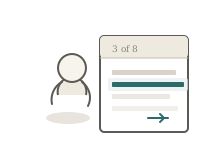
Each slide is just a few sentences. You tap or press space when you're ready for the next one. Big type, lots of breathing room, and optional dyslexia-friendly formatting if you want it.
Use cases
Anything long and text-heavy — SimplRead pulls out the main points and puts them on calm, bite-sized slides.

Articles & news
Long news stories, blog posts, and opinion pieces — simplified into plain language, one slide at a time.

Research papers & snippets
Dense academic text or copied excerpts — SimplRead extracts the key findings without the jargon wall.

Messages & social posts
Long threads or group chats — paste them in and read the gist in order.

YouTube videos
Paste a YouTube link and SimplRead reads the captions, then summarises the video as slides you can skim.

Long emails & newsletters
That 2,000-word company update or weekly newsletter — cut down to the parts that actually matter.
Ways to use it
Chrome extension, web app, or phone — use one or all of them. Same calm reader and saved history everywhere.

Chrome extension
On any article page, click the SimplRead icon. It simplifies the page and opens the reader right there — install from the Chrome Web Store.

Paste into the web app
Got text from an email or PDF? Paste it at simplread.com/app. Same reader, same saved history.

Pick up where you left off
Everything you simplify gets saved. Star your favourites, filter by topic, and reopen any article in the same slide reader.

On your phone
Share a link from Chrome or any app, or paste text directly. Same account and reading history as the web — download the Android app.
Reading options
Bionic text and word highlighting are built in — tuned for dyslexic and ADHD readers, not bolted on as an afterthought. Bring your own API key (OpenAI, Anthropic, and others) so you stay in control of cost.
About ads
BYOK is never paywalled — add your own key anytime for unlimited simplifications at your provider’s rates. The free hosted path shows a few small ads in the reader to cover hosting and development.
Buy a credit pack anytime for ad-free reading while credits last. Ads belong in the reader, not on empty marketing pages. More detail in the FAQ and BYOK vs hosted tokens.
Who it’s for
SimplRead is built for people who understand ideas fine but still abandon long pages — including many dyslexic and ADHD readers. Dense columns, tiny type, and no clear stopping points turn reading into a chore. We do not diagnose or treat any condition; we offer a calmer format: plain language, larger type options, and one short slide at a time.
Students use it for research skim-passes. Professionals use it for newsletters and policy PDFs pasted as text. Anyone who prefers finishable chunks over endless scroll will feel at home. If you need clinical support for dyslexia or ADHD, talk to a qualified professional — SimplRead is a reading aid, not therapy.
Read more in About, the Resources hub, or practical notes on why cluttered pages are hard, slide-by-slide reading and ADHD, and dyslexia-friendly web habits.
How it works in depth
Extraction, simplification, then a full-screen reader — with history you can reopen for free.
When you paste a URL or scan a page, SimplRead tries to pull the main article body and drop navigation chrome. An AI model rewrites the important parts into shorter sentences and splits them into ordered slides. You advance when ready — space bar, arrows, or a tap — with clear “3 of 12” progress so you never wonder how far you have come.
Hosted free tokens use a lighter model; purchased credits use a stronger one; BYOK uses the provider and model you choose. Every simplification you finish is saved. Re-reads do not spend credits. Full walkthrough: How it works.
Accessibility features
Designed around dyslexia-friendly fonts and ADHD-friendly pacing — options you can turn on or off.
Type & spacing
Atkinson Hyperlegible for body text, Literata for headings, generous line height, and a warm paper background instead of harsh glare.
Optional focus aids
Dyslexia-friendly reader mode, bionic-style word emphasis, and word highlighting — try what helps; leave the rest off.
Slide rhythm
One idea per screen reduces the urge to skim and lose the thread. Pause between slides without losing your place.
Dark theme
Switch themes when evening light makes bright pages hard. Contrast stays readable in both modes.
Privacy when you bring your own key
With BYOK, your API key is encrypted at rest and used only to call your AI provider when you ask for a simplification. Article text goes to that provider under their terms — the same idea as using their API yourself. Your SimplRead history (titles, sources, slides) stays in your account so you can reopen articles later.
We publish a full Privacy Policy covering cookies, AdSense in the reader, retention, and GDPR rights. Prefer not to manage a key? Use hosted tokens instead — explained in BYOK vs hosted tokens.
Reading tips that actually help
-
Use slides for the first pass Get the arc of the story, then open the source for quotes and exact figures.
-
Scan a selection when pages are huge In Chrome, highlight the section you care about before simplifying.
-
Batch a few slides, then pause Small commitments beat “I’ll finish the whole thing” when focus is thin.
-
Reopen history instead of re-simplifying Saved slides are free to re-read — no need to spend another credit.
Simple, honest pricing
Start free. Top up when you need more — no subscription, no surprise charges. 1 credit = 1 new simplification. Re-reading saved articles is always free.
Free plan
5 free tokens every month to simplify articles with SimplRead's hosted AI. The free hosted tier shows a few small ads in the reader — they help cover hosting, not to lock you out.
- 5 new simplifications per month on hosted tokens
- Unlimited re-reads from your history
- Chrome extension, web app, and Android
- Or use your own API key — unlimited at your provider’s rates, never paywalled
Top up credits
Pay once, get exactly the credits shown — a pure top-up system, not a subscription. While you have credits, reading is ad-free and uses our faster AI model. Credits last 12 months from purchase.
Loading prices…
Prices shown in your local currency where available. Purchases are processed securely by Stripe. Already have an account? Top up in the app.
Getting started
Four steps — takes about two minutes.
-
Create an account Free. Just email and a password.
-
Choose how to simplify Use 5 free monthly tokens, top up credits when you need more, or add your own API key.
-
Read something Click the Chrome extension on a web page, or paste text into the app. Arrow keys and space work in the reader.
-
Come back anytime Your history keeps every simplification. Open one and read through again whenever you like.
If you usually give up halfway through a long article, this is for you.